About DWG FastView Pro-CAD viewer
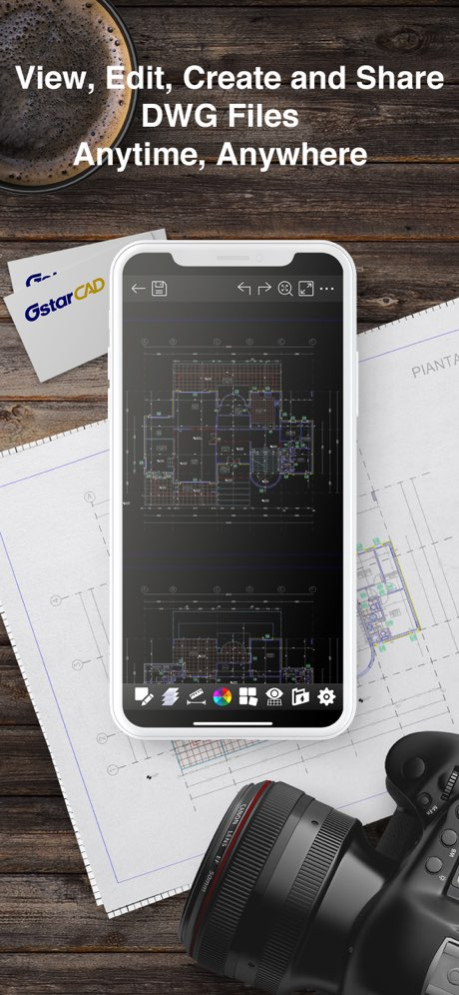
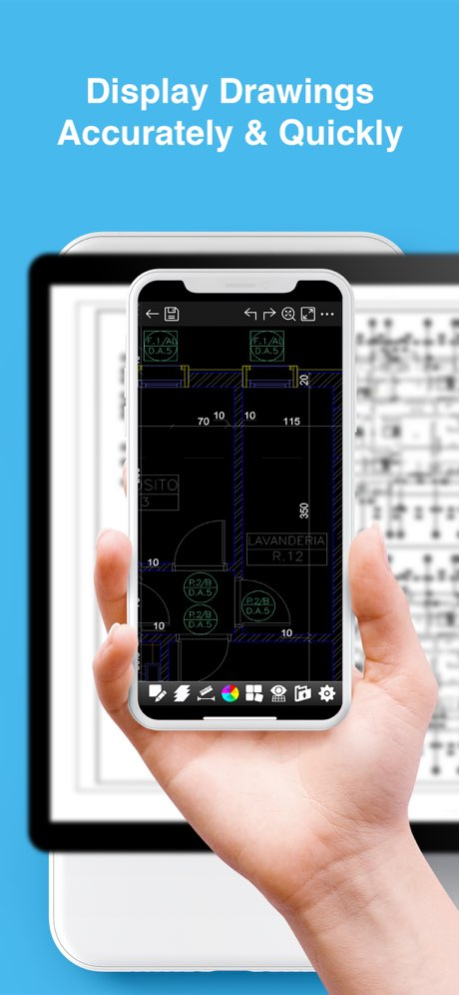
DWG FastView Pro is fully compatible with 2D/3D DWG drawings, which can smoothly open DWG drawings from GstarCAD, AutoCAD and other CAD platforms, also can view CAD design in .dxf format etc. Let’s see its 5 highlights:...
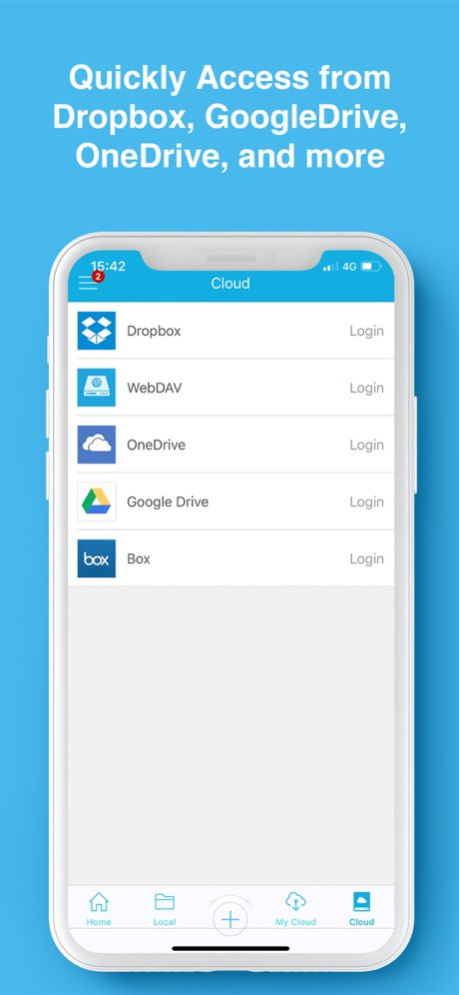
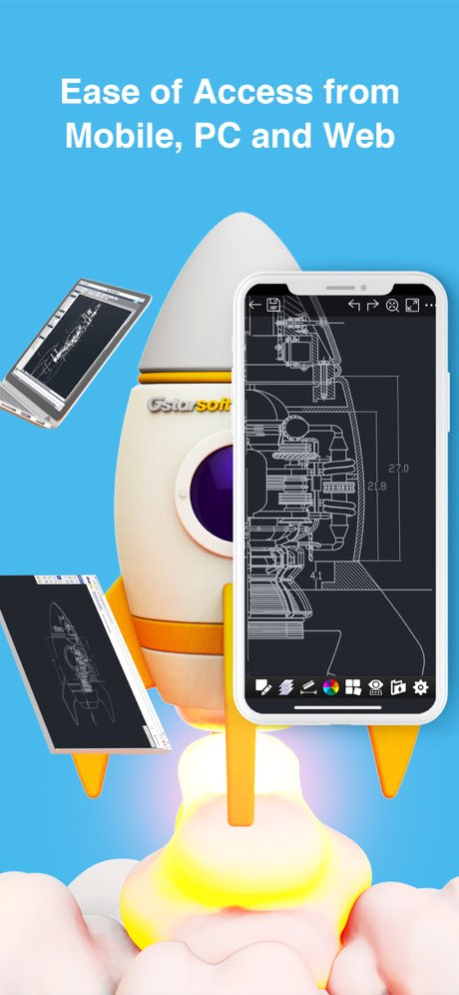
DWG FastView Pro is fully compatible with 2D/3D DWG drawings, which can smoothly open DWG drawings from GstarCAD, AutoCAD and other CAD platforms, also can view CAD design in .dxf format etc. Let’s see its 5 highlights: (1) Creating, browsing and editing are totally free; There is no limit to how large the file is. Directly browse documents of local storage from DWG FastView. Also, it’s free to create new drawings. (2) No registration & Offline drawings Do you find it boring and time-wasting that some other CAD APPs ask you to register and log in? Now, simply download DWG FastView and use it immediately with no NO REGISTRATION needed. Besides, without internet, you are able to save your masterpieces in the local workspace. At the same time, drawings from E-mail or Network Disk like Dropbox or WebDAV can be opened, viewed, edited, shared as well with Internet. (3) Support export to PDF, BMP, JPG and PNG, and share it to anyone freely. Transfer CAD drawings into PDF format and customize its paper size, orientation, color and so on. You can also convert CAD drawings to image format-BMP, JPG, PNG. And all of them can be viewed and shared by DWG FastView. (4)View Mode and Edit Mode satisfy diverse needs; To satisfy your SIMPLY NEED to OPEN and VIEW .dwg, we create View Mode, providing simple tools for FASTER VIEW .dwg. Besides, Edit Mode is better at professional and practical drawing. (5)Helpful and responsive technical support. There are four ways to get technical support 1. Click the “Rate” button to share your valuable comments and suggestions with us 2. Click the “Feedback” button to send your tech problem to us via email 3. Directly send email to support.mc@gstarcad.net to let us know your technical question 4. Follow the latest news or contact us through Facebook, Twitter and Linkedin Facebook: https://www.facebook.com/DWGFastView Twitter: https://twitter.com/DWGFastView Linkedin: https://www.linkedin.com/company/suzhou-gstarsoft-co-ltd
Version History Add entrance that users can use advanced features in DWG FastView 2.5.0 06/03/2019 Bug fixed. 2.4.10 09/28/2018 1. Support AutoCAD 2018 format; 2. Modify Dropbox login; 3. Fix known bugs. 2.4.9 08/22/2018 Fixed crash issue in special situations of 2.4.2 2.4.3 06/13/2017 1. Adjusted position of Simulated Mouse 2. Provided 'Copy' function when displaying Tips of missing fonts 3. Improved path compatibility for WebDAV 4. Optimized memory usage of Hatch 5. Fixed the known BUGs. 2.4.2 06/02/2017 New Features 1. Adjust the position of input point; 2. Simulated Mouse for drafting and measure; 3. Simple Edit(Move, Rotate and Scale) for selection sets; Parameter Edit and Pinch Edit for single entity; 4. Mirror command; 5. ID Point function for querying coordinates of specified point; 6. Keypad for drafting, and it could be turned off in Settings; 7. Auto recover the damaged drawing and reopen it; 8. Object Snap Tracking; 9. Polar Tracking. 10. Access drawings saved in My Cloud by one account through web, PC, or mobile client. Improvements 1. Visual Style in View Mode; 2. Integrated auxiliary display and keypad in drafting process; 3. Available to display and copy measure result; 4. Ten kinds of Snap Mode, and they could be turned off in Settings; 5. Available to enter Mtext; 6. Separately edit the text, leader and arrowhead for Notation; 7. Optimized Smart Pen. 2.4.1 04/26/2017 1. Fixed the layer display issue 2. Fixed the known bugs 2.3.2 01/03/2017 1. New interface for efficient management 2. Added Recent, Favorite catogory for easy access to drawings 3. Provided File Transfer function via Wi-Fi for fast sharing 4. Compatability with iOS10 5. Fixed the invoke by third party applications 2.3.1 12/22/2016 1. New interface for efficient management 2. Added Recent, Favorite catogory for easy access to drawings 3. Provided File Transfer function via Wi-Fi for fast sharing 4. Compatability with iOS10 2.3.0 12/15/2016 1. Fixed the issues of input box on iOS 10 2. Fixed the display problem of Help documents and Records when rotating screen on iOS 10 3. Fixed vitual keyboard coverd by shortcut keys on iPAD 4. Fixed the issue of interface rotation when adding cloud storage on iPad 2.2.2 11/14/2016 1. Added Smart Pen; 2. Enhanced raster image performance; 3. Fixed known bugs. 2.2.1 09/07/2016 1.Optimization on the third party cloud storage. 2.Fixed the known BUGs. 2.2.0 07/08/2016 Fixed the known BUGs. 2.1.2 06/04/2016 1. New OneDrive support. 2. New support for the magnifer automatically moving with the object snap. 3. Optimize object snap. Easier to capture the specific point. 4. Optimize the image clarity. Clearer to display drawings. 2.1.1 04/09/2016 1 We separate the view mode and the edit mode, and user can freely switch between them by clicking the related button or set default mode for opening CAD drawings in setting interface In view mode, it enables you to view 2D CAD drawings, but editing function is disabled. We recognize that most of our users are using our DWG FastView to view CAD drawings, thus, we launched the view mode to satisfy their needs. As there are only a few tools with the most necessary functionality aimed at drawing viewing in it, such as Full Drawing, Full Screen, Layer, Layout, Measure, Background color and Export, users can view their CAD drawings Efficiently in view mode. In edit mode, besides viewing, creating and editing 2D CAD drawings, users can view 3D CAD drawings,too.2D Drawing and Editing tools here is more practical and professional such as: draw Line, Polyline, Circle, Arc, Text, Revcloud, Rectangle, Sketch, create Notation, Move, Copy, Rotate, Scale ect. User can also select different visual mode such as 2D Visual mode, 3D Wireframe, 3D Realistic and 3D Hidden. It also enable users to set various parameters in the drawing interface instead of switching to setting interface, which would no doubt help user improve the efficiency of design 2 Keep safe your drawing and share it as PDF and many other images formats like BMP, JPG, and PNG. Moreover, users also have the ability to customize the above mentioned pictures by setting the related Properties, eg, In this approach, user can define paper size, paper orientation, color and extent for PDF. 3 WebDAV interface is available, any web disk which support WebDAV Protocol could be connected. User can add web disk by simply filling in the server, user name and password after clicking the add service button and selecting WebDav as the web disk type. Multiple web disk account could be connected in this way. And the Proxy Server is also available. Apart from the official released version, we update our DWG FastView at regular intervals. To enjoy the DWG FastView with innovative improvement and known bugs fixed, please click the button of check the new version and update to the latest version. 2.1.0 02/02/2016 1.Be compatible with IOS 8.0 and higher version. 2.Open up and read Microsoft word, PDF and more formats of files. 3.Real-time update colorful activities and share more industry latest resources at any time. 4.Fixed the known BUGs. 2.0.9 09/21/2015 1.Be compatible with IOS 8.0 and higher version. 2.Open up and read Microsoft word, PDF and more formats of files. 3.Real-time update colorful activities and share more industry latest resources at any time. 4.Fixed the known BUGs. 2.0.8 09/06/2015 1.Be compatible with IOS 8.0 and higher version. 2.Open up and read Microsoft word, PDF and more formats of files. 3.Real-time update colorful activities and share more industry latest resources at any time. 4.Fixed the known BUGs. 2.0.7 08/27/2015 1.Optimize the mechanism of opening the dwg files. 2.Fixed the bugs of overlapping of graphs. 3.Check for the support information and welcome to give us PRAISE. 4.Other bug fix. 2.0.6 01/13/2015 Fixed bugs. 2.0.4 11/25/2014 Update: 1. Optimized the scaling of drawings and the drawings in regular size can be zoomed in real-time. 2. Fixed bugs. 2.0.3 10/07/2014 1 Optimized UI localization: Add several new languages such as korean, Russian, Czech language,Italian, Spanish and so on. 2 Fixed the bug of scrambled numbers in font file 3 Optimized the user guide documents 4 Fixed the 2D/3D model option problems when open a drawing 5 Fixed other bugs. 2.0.2 08/19/2014 1 Optimized UI localization: Add several new languages such as korean, Russian, Czech language,Italian, Spanish and so on. 2 Fixed the bug of scrambled numbers in font file 3 Optimized the user guide documents 4 Fixed the 2D/3D model option problems when open a drawing 5 Fixed other bugs. 2.0.1 05/29/2014 1. Greatly increase the drawing opening speed and make it more fluent for editing. 2. Browse, edit and save drawings in 2013 format. 3. Browse a 3D model in a fluent way in all directions. 4. Support the Baidu Cloud Folder and collocate with a set of solutions to handle common file conflicts in cloud storage. 5. An independent module for Font's folder for conveniently managing fonts. 6. Support snapping intersection and center. 7. Support editing Grips. 8. The functions of drawing module optimized. 9. The Help Files improved. 10. Other BUGs fixed. 2.0.0 04/28/2014 1 iOS adaptation (revised the input bug) 2 Support Dropbox Connection Service:upload;download; copy;delete; share; File Status Identifier( including conflicting files); file sorting, search and other editting functions. 3 upload to Dropbox in the "local drawing file" 4 Add the "Help" entry in the "Support" model 5 other bug fixed 1.2.0 10/31/2013
Previous Versions
Here you can find the changelog of DWG FastView Pro-CAD viewer since it was posted on our website on 2016-09-24 11:13:07.
The latest version is 2.5.0 and it was updated on 2026-10-12 20:53:06. See below the changes in each version.
DWG FastView Pro-CAD viewer version 2.5.0
Updated At: 2026-10-08
Changes: Version History Add entrance that users can use advanced features in DWG FastView 2.5.0 06/03/2019 Bug fixed. 2.4.10 09/28/2018 1. Support AutoCAD 2018 format;
2. Modify Dropbox login;
3. Fix known bugs. 2.4.9 08/22/2018 Fixed crash issue in special situations of 2.4.2 2.4.3 06/13/2017 1. Adjusted position of Simulated Mouse
2. Provided 'Copy' function when displaying Tips of missing fonts
3. Improved path compatibility for WebDAV
4. Optimized memory usage of Hatch
5. Fixed the known BUGs. 2.4.2 06/02/2017 New Features
1. Adjust the position of input point;
2. Simulated Mouse for drafting and measure;
3. Simple Edit(Move, Rotate and Scale) for selection sets; Parameter Edit and Pinch Edit for single entity;
4. Mirror command;
5. ID Point function for querying coordinates of specified point;
6. Keypad for drafting, and it could be turned off in Settings;
7. Auto recover the damaged drawing and reopen it;
8. Object Snap Tracking;
9. Polar Tracking.
10. Access drawings saved in My Cloud by one account through web, PC, or mobile client.
Improvements
1. Visual Style in View Mode;
2. Integrated auxiliary display and keypad in drafting process;
3. Available to display and copy measure result;
4. Ten kinds of Snap Mode, and they could be turned off in Settings;
5. Available to enter Mtext;
6. Separately edit the text, leader and arrowhead for Notation;
7. Optimized Smart Pen. 2.4.1 04/26/2017 1. Fixed the layer display issue
2. Fixed the known bugs 2.3.2 01/03/2017 1. New interface for efficient management
2. Added Recent, Favorite catogory for easy access to drawings
3. Provided File Transfer function via Wi-Fi for fast sharing
4. Compatability with iOS10
5. Fixed the invoke by third party applications 2.3.1 12/22/2016 1. New interface for efficient management
2. Added Recent, Favorite catogory for easy access to drawings
3. Provided File Transfer function via Wi-Fi for fast sharing
4. Compatability with iOS10 2.3.0 12/15/2016 1. Fixed the issues of input box on iOS 10
2. Fixed the display problem of Help documents and Records when rotating screen on iOS 10
3. Fixed vitual keyboard coverd by shortcut keys on iPAD
4. Fixed the issue of interface rotation when adding cloud storage on iPad 2.2.2 11/14/2016 1. Added Smart Pen;
2. Enhanced raster image performance;
3. Fixed known bugs. 2.2.1 09/07/2016 1.Optimization on the third party cloud storage.
2.Fixed the known BUGs. 2.2.0 07/08/2016 Fixed the known BUGs. 2.1.2 06/04/2016 1. New OneDrive support.
2. New support for the magnifer automatically moving with the object snap.
3. Optimize object snap. Easier to capture the specific point.
4. Optimize the image clarity. Clearer to display drawings. 2.1.1 04/09/2016 1 We separate the view mode and the edit mode, and user can freely switch between them by clicking the related button or set default mode for opening CAD drawings in setting interface
In view mode, it enables you to view 2D CAD drawings, but editing function is disabled. We recognize that most of our users are using our DWG FastView to view CAD drawings, thus, we launched the view mode to satisfy their needs. As there are only a few tools with the most necessary functionality aimed at drawing viewing in it, such as Full Drawing, Full Screen, Layer, Layout, Measure, Background color and Export, users can view their CAD drawings Efficiently in view mode.
In edit mode, besides viewing, creating and editing 2D CAD drawings, users can view 3D CAD drawings,too.2D Drawing and Editing tools here is more practical and professional such as: draw Line, Polyline, Circle, Arc, Text, Revcloud, Rectangle, Sketch, create Notation, Move, Copy, Rotate, Scale ect. User can also select different visual mode such as 2D Visual mode, 3D Wireframe, 3D Realistic and 3D Hidden. It also enable users to set various parameters in the drawing interface instead of switching to setting interface, which would no doubt help user improve the efficiency of design
2 Keep safe your drawing and share it as PDF and many other images formats like BMP, JPG, and PNG. Moreover, users also have the ability to customize the above mentioned pictures by setting the related Properties, eg, In this approach, user can define paper size, paper orientation, color and extent for PDF.
3 WebDAV interface is available, any web disk which support WebDAV Protocol could be connected.
User can add web disk by simply filling in the server, user name and password after clicking the add service button and selecting WebDav as the web disk type. Multiple web disk account could be connected in this way. And the Proxy Server is also available.
Apart from the official released version, we update our DWG FastView at regular intervals. To enjoy the DWG FastView with innovative improvement and known bugs fixed, please click the button of check the new version and update to the latest version. 2.1.0 02/02/2016 1.Be compatible with IOS 8.0 and higher version.
2.Open up and read Microsoft word, PDF and more formats of files.
3.Real-time update colorful activities and share more industry latest resources at any time.
4.Fixed the known BUGs. 2.0.9 09/21/2015 1.Be compatible with IOS 8.0 and higher version.
2.Open up and read Microsoft word, PDF and more formats of files.
3.Real-time update colorful activities and share more industry latest resources at any time.
4.Fixed the known BUGs. 2.0.8 09/06/2015 1.Be compatible with IOS 8.0 and higher version.
2.Open up and read Microsoft word, PDF and more formats of files.
3.Real-time update colorful activities and share more industry latest resources at any time.
4.Fixed the known BUGs. 2.0.7 08/27/2015 1.Optimize the mechanism of opening the dwg files.
2.Fixed the bugs of overlapping of graphs.
3.Check for the support information and welcome to give us PRAISE.
4.Other bug fix. 2.0.6 01/13/2015 Fixed bugs. 2.0.4 11/25/2014 Update:
1. Optimized the scaling of drawings and the drawings in regular size can be zoomed in real-time.
2. Fixed bugs. 2.0.3 10/07/2014 1 Optimized UI localization: Add several new languages such as korean, Russian, Czech language,Italian, Spanish and so on.
2 Fixed the bug of scrambled numbers in font file
3 Optimized the user guide documents
4 Fixed the 2D/3D model option problems when open a drawing
5 Fixed other bugs. 2.0.2 08/19/2014 1 Optimized UI localization: Add several new languages such as korean, Russian, Czech language,Italian, Spanish and so on.
2 Fixed the bug of scrambled numbers in font file
3 Optimized the user guide documents
4 Fixed the 2D/3D model option problems when open a drawing
5 Fixed other bugs. 2.0.1 05/29/2014 1. Greatly increase the drawing opening speed and make it more fluent for editing.
2. Browse, edit and save drawings in 2013 format.
3. Browse a 3D model in a fluent way in all directions.
4. Support the Baidu Cloud Folder and collocate with a set of solutions to handle common file conflicts in cloud storage.
5. An independent module for Font's folder for conveniently managing fonts.
6. Support snapping intersection and center.
7. Support editing Grips.
8. The functions of drawing module optimized.
9. The Help Files improved.
10. Other BUGs fixed. 2.0.0 04/28/2014 1 iOS adaptation (revised the input bug)
2 Support Dropbox Connection Service:upload;download; copy;delete; share; File Status Identifier( including conflicting files); file sorting, search and other editting functions.
3 upload to Dropbox in the "local drawing file"
4 Add the "Help" entry in the "Support" model
5 other bug fixed 1.2.0 10/31/2013
DWG FastView Pro-CAD viewer version 2.5.0
Updated At: 2019-06-03
Changes: Jun 3, 2019
Version 2.5.0
Add entrance that users can use advanced features in DWG FastView
DWG FastView Pro-CAD viewer version 2.5.0
Updated At: 2019-06-03
Changes: Add entrance that users can use advanced features in DWG FastView
DWG FastView Pro-CAD viewer version 2.2.1
Updated At: 2012-09-18
Disclaimer
Official App Store Link
We do not host DWG FastView Pro-CAD viewer on our servers. We did not scan it for viruses, adware, spyware or other type of malware. This app is hosted by Apple and passed their terms and conditions to be listed there. We recommend caution when installing it.
The App Store link for DWG FastView Pro-CAD viewer is provided to you by apps112.com without any warranties, representations or guarantees of any kind, so access it at your own risk.
If you have questions regarding this particular app contact the publisher directly. For questions about the functionalities of apps112.com contact us.